I turned a Raspberry Pi and a spare SSD into my own cloud.
No subscriptions, no one else's server. Just a Pi, a drive, and a router port — sitting in the hallway, doing the one job every laptop and phone in the house now trusts it with.
Five steps from parts on a table to a device on the network
Nothing here is exotic. It's the same sequence anyone building a small home server ends up walking through — the only real decision points are the OS and where the box physically lives.
Pick the parts
A Raspberry Pi 4 and a 256GB SSD (Linux formats it down to 254GB usable — the drive isn't lying, filesystems just take their cut). An SSD over a USB hard drive or SD card, for the read/write speed and because it won't wear out the way an SD card would under constant use.
Raspberry Pi 4 256GB SSD USB 3.0 enclosureFlash the OS and boot
Debian-based Raspberry Pi OS, first boot straight into OpenMediaVault's setup — a free, open-source NAS operating system that hands you a web dashboard instead of a config file to hand-edit. First login is over SSH before anything graphical exists; the console prints its own web address the moment it's ready.
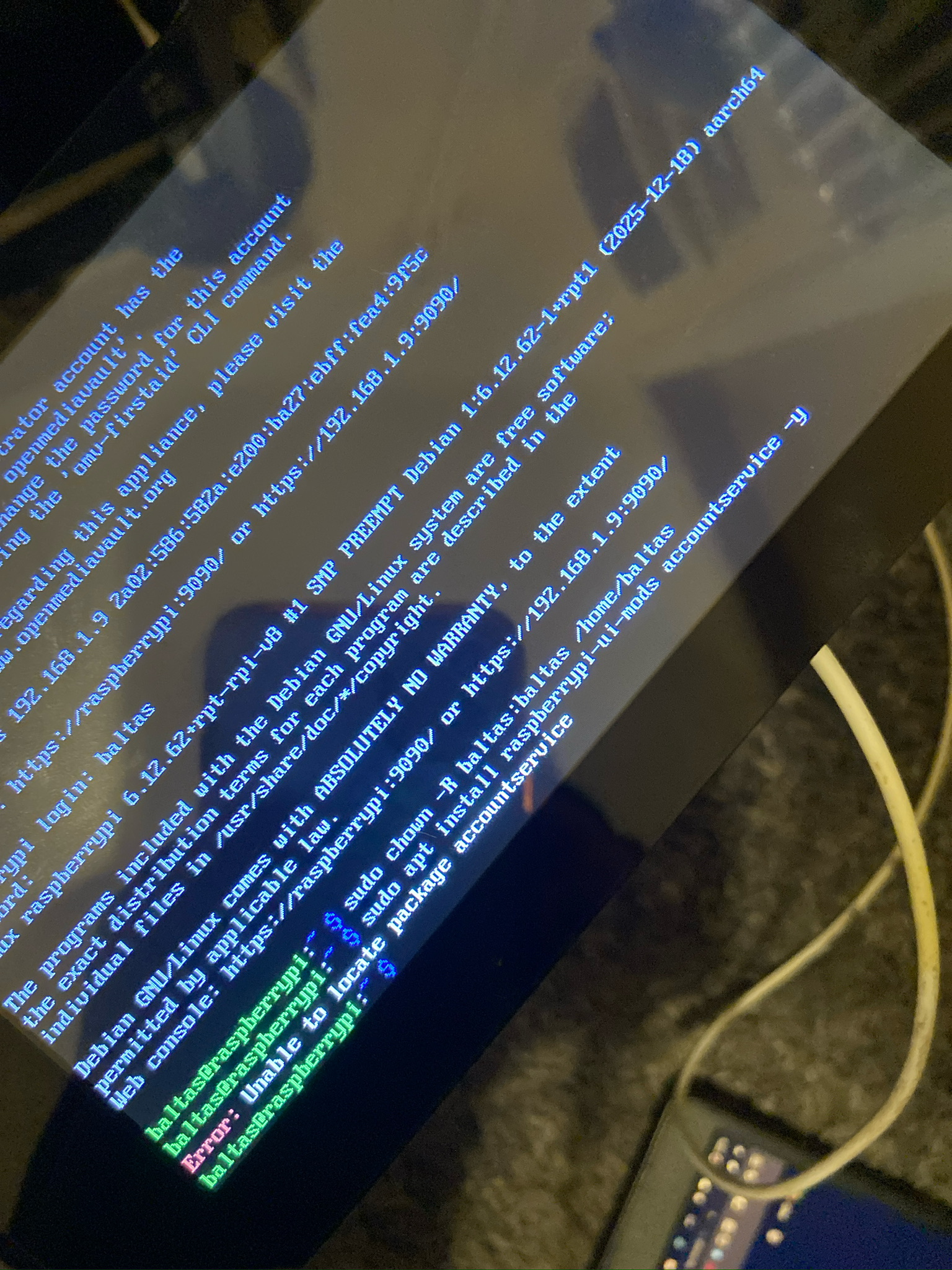
Configure headless, over SSH
No monitor and keyboard permanently attached to a box that's
about to live behind a router — raspi-config
over SSH handles the boring but essential part: enabling SSH
itself, expanding the filesystem to the full drive, setting
the hostname, locale, and boot behaviour.
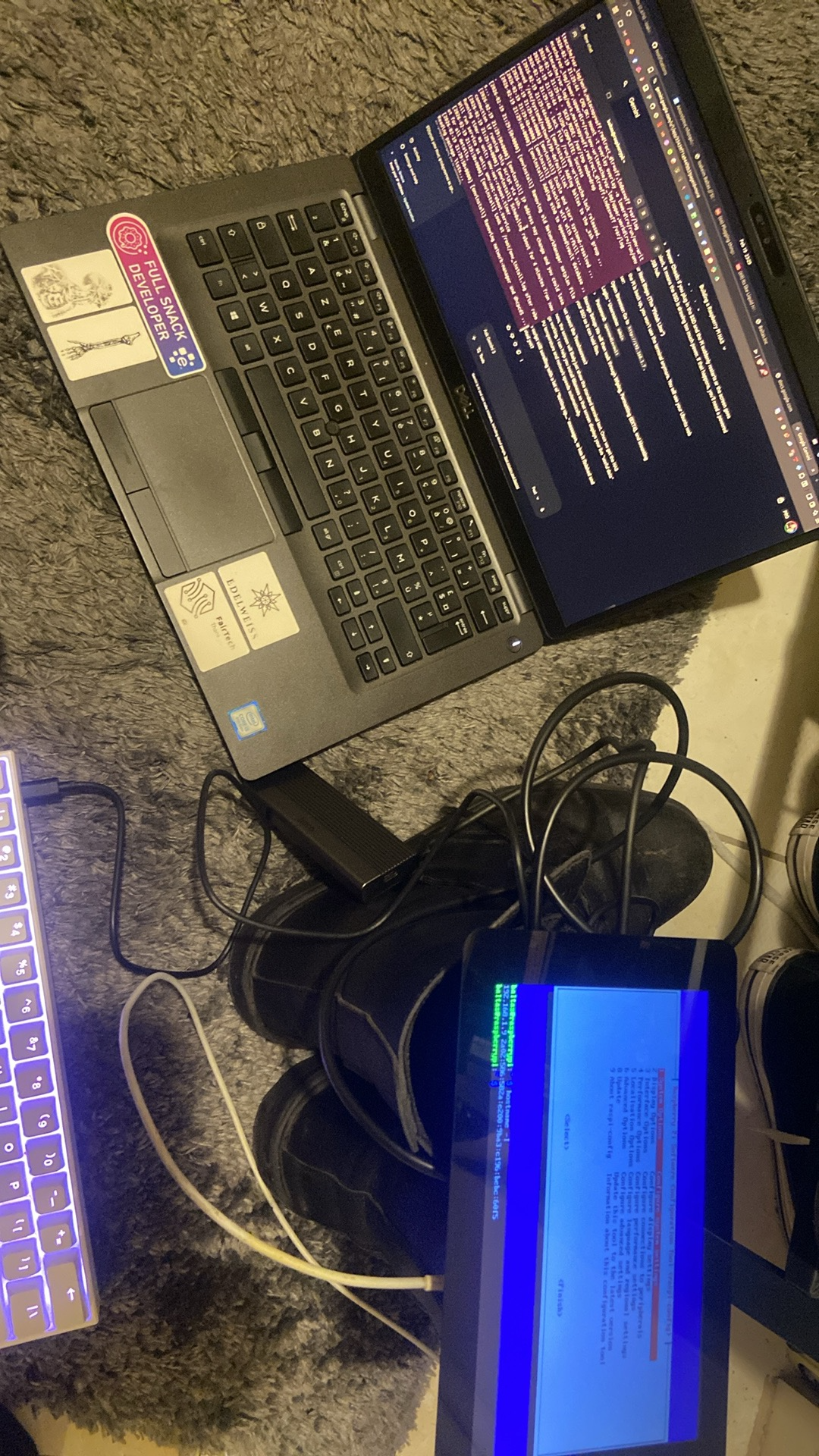
Wire it into the router
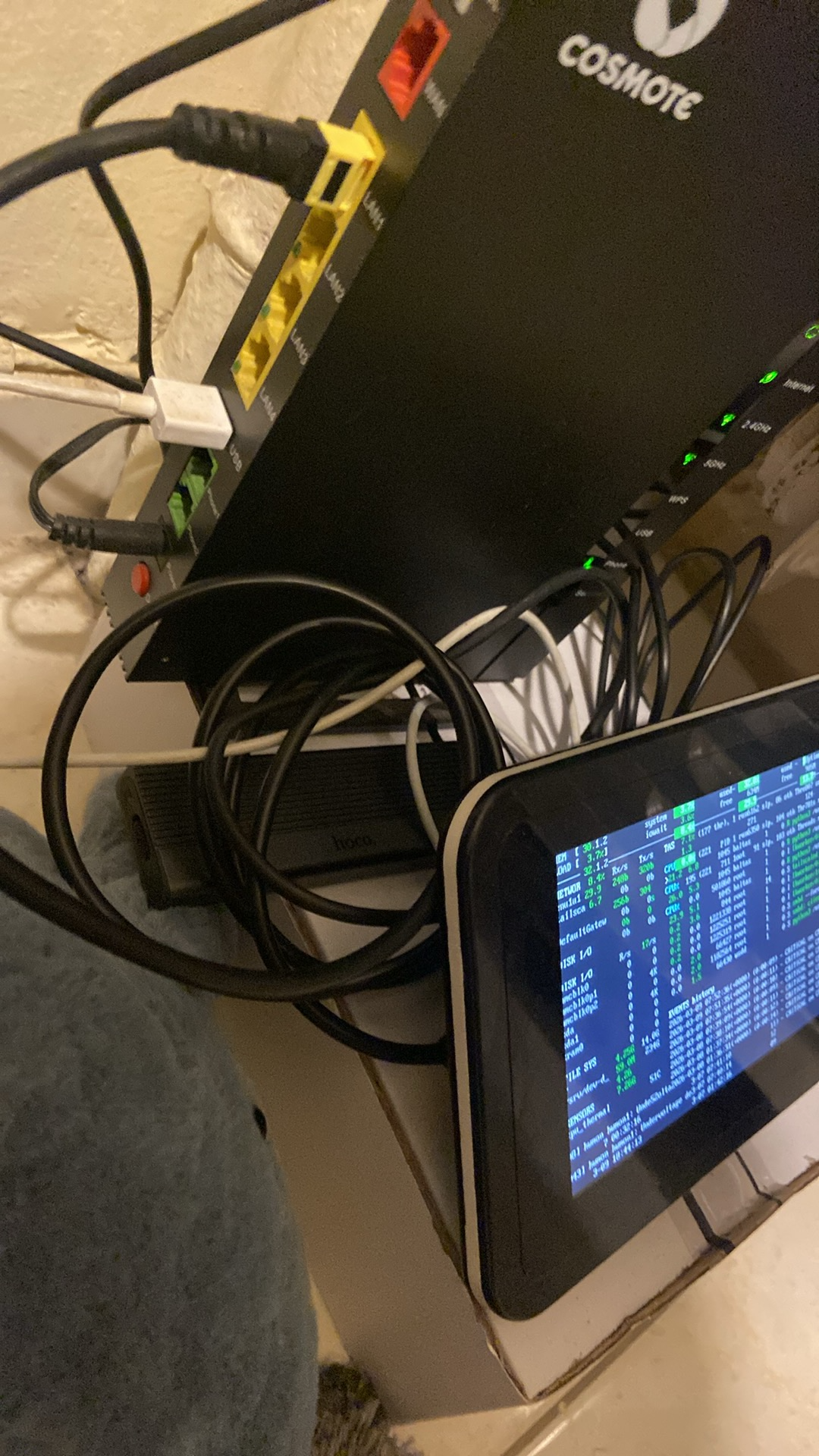
Ethernet straight into a free LAN port on the Cosmote router, SSD into a powered USB 3.0 port, and a small always-on display propped in front of it running Glances — CPU temp, load, disk I/O, network throughput, at a glance, no SSH session required to check it's still alive.
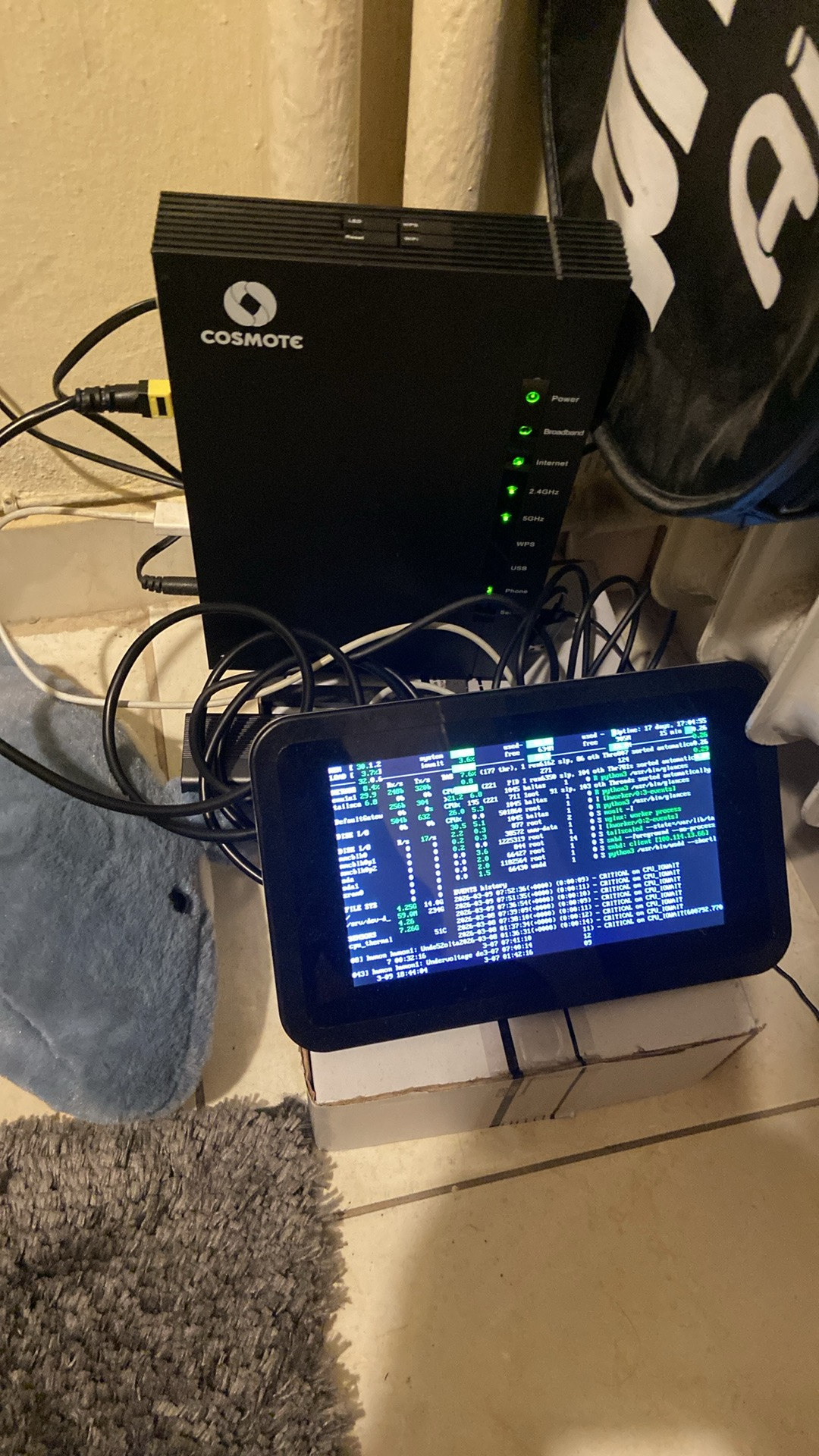
Make it a personal cloud
With OMV reachable at
https://192.168.1.9:9090
on the local network, the SSD gets mounted as a shared folder
and exposed over SMB — so every device in the house sees it as
a normal network drive, no different from any other folder on
the network, just one that happens to live on a Pi in a closet.
What the little screen is actually showing
The always-on display in the closet is running Glances, so a quick glance (no pun intended) is enough to know the Pi is healthy without opening a terminal.
The closet, mid-build
Four photos from the actual build — not staged, cable management included.
What actually tripped me up
apt couldn't find a package
OMV's user-management extension pulls in
accountservice from a package that isn't always
resolvable straight off a fresh image — an
apt update first would have saved a step.
ownership after moving the home dir
chown -R on the account's home directory needed
to run before installing UI mods, or the new admin panel
couldn't write its own config back to disk.
keep a screen on it
A five-dollar always-on display running Glances turned out to be worth more than expected — CPU temp and disk I/O at a glance beats SSH-ing in every time something feels slow.
label the SSD's real capacity
256GB on the box, 254GB after formatting — worth knowing up front rather than being surprised when the drive reports "less" than advertised.